HTTP vs API Monitoring: What's the Difference?
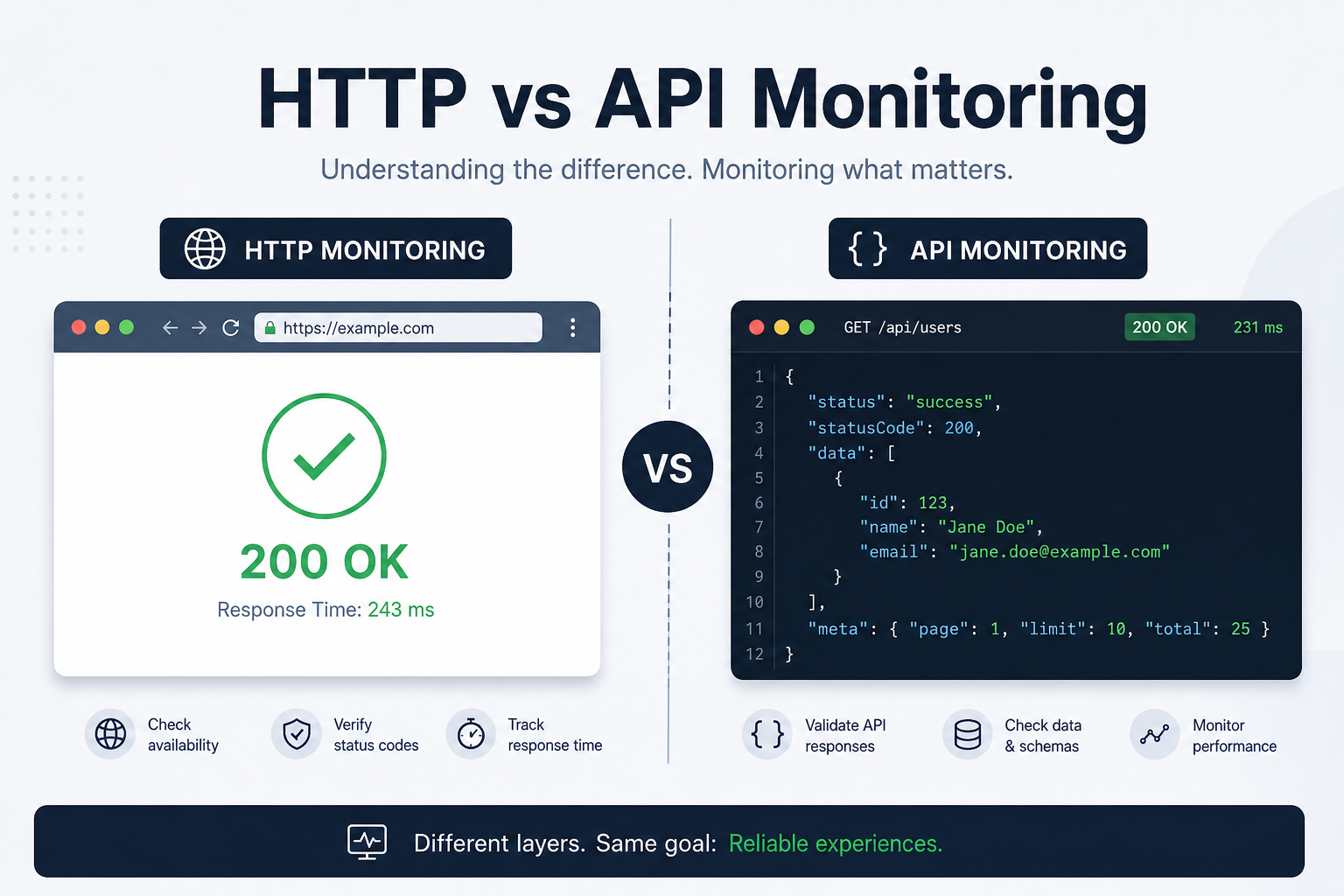
You set up monitoring for your website. The dashboard shows a green dot and "200 OK." Everything's fine, right?
Maybe. That green dot tells you the page loaded. It doesn't tell you whether your login endpoint is broken, your payment API is timing out, or your search returns empty results on every query.
That's the gap between HTTP monitoring and API monitoring. They look similar on the surface, but they catch very different problems.
HTTP Monitoring: Is the Page There?
HTTP monitoring is the simplest form of uptime checking. It sends a request to a URL and checks two things:
- Did the server respond? (Or did the request time out?)
- Was the status code what we expected? (Usually 200)
That's it. If your homepage returns a 200, the check passes. If it returns a 500 or doesn't respond at all, you get an alert.
What it catches:
- Server is completely down
- DNS failures
- SSL certificate errors
- Hosting provider outages
- Deployment broke the page (returns 500)
What it misses:
- The page loads, but login is broken
- The page returns 200, but the content is wrong
- A backend service crashed, but the frontend still renders a cached shell
- The API behind the page is returning errors that only logged-in users would see
HTTP monitoring answers one question: can a browser reach this URL? For landing pages, marketing sites, and static content, that's often enough.
API Monitoring: Does the Backend Work?
API monitoring goes deeper. Instead of just checking "did the server respond," it validates that your backend is actually doing its job.
A proper API monitor can:
- Send requests with specific HTTP methods (GET, POST, PUT, DELETE)
- Expect a specific status code (not just any 2xx — exactly 201 for a creation endpoint)
- Check response time against a threshold
- Validate that the response contains expected data
What it catches (that HTTP monitoring doesn't):
- Authentication endpoint returns 401 when it shouldn't
- Payment API is timing out while the homepage loads fine
- Database is down, causing 500s on data endpoints while static pages still work
- Third-party integration failures (payment processor, email service)
- Slow queries making your API unusable even though it technically responds
When HTTP Monitoring Is Enough
HTTP monitoring covers you when:
- You're monitoring a marketing site or landing page with no dynamic backend
- You need a basic "is it up?" check for a service you don't control
- You're monitoring third-party services you depend on (your payment provider's status page, your CDN)
- You want a simple availability check as a baseline alongside deeper monitoring
If your entire business runs on a static site with no user accounts, no forms, and no API calls, HTTP monitoring is all you need.
When You Need API Monitoring
You need API monitoring when:
- Your application has user authentication — can people actually log in?
- You process payments or transactions — is the checkout flow working end to end?
- Your frontend talks to a backend API — a broken API behind a working page is invisible to HTTP monitoring
- You rely on third-party APIs — if Stripe's API is down, your payment flow is broken even if your server is fine
- You need to validate response correctness, not just reachability
For most SaaS products, web apps, and e-commerce sites, API monitoring isn't optional — it's where the real failures hide.
Setting Up Both: A Practical Approach
Here's a straightforward monitoring setup for a typical web application:
HTTP Monitors (the basics)
- Homepage — GET, expect 200, 2-minute interval
- Login page — GET, expect 200, 2-minute interval
- Public status page — GET, expect 200, 5-minute interval
API Monitors (the critical paths)
- Auth endpoint — POST to
/api/auth/loginwith test credentials, expect 200, 1-minute interval - Health check — GET to
/api/health, expect 200, 1-minute interval - Key data endpoint — GET to your most important API route, expect 200, 2-minute interval
What to Set as Your Threshold
Response time thresholds matter more for API monitors than HTTP monitors. A marketing page that loads in 800ms is fine. An API endpoint that takes 800ms to respond will make your entire app feel sluggish.
Set your slow response threshold based on what your users experience:
- API endpoints: 500ms is a reasonable upper limit
- Web pages: 1-2 seconds before it impacts user experience
- Internal tools: More forgiving — 2-3 seconds is usually acceptable
The Real Difference Is What Breaks Without You Knowing
HTTP monitoring tells you when the building is on fire. API monitoring tells you when the plumbing is broken — the kind of problem where everything looks normal from the outside while users are silently hitting errors.
Most outages that damage user trust aren't total server meltdowns. They're partial failures: the login flow breaks, the search returns stale data, the payment endpoint times out for 30% of requests. These are API-level problems that a simple HTTP check will never detect.
Start with HTTP monitoring for visibility. Add API monitoring for the endpoints that matter most to your business. The combination gives you coverage that either one alone can't provide.
For a deeper comparison of active vs passive approaches, see synthetic monitoring vs real user monitoring. And if your API checks pass but users still complain about slowness, the issue might be response time degradation — a problem that hides behind a 200 OK.
Related Reading
- What Is API Monitoring? — a deeper look at endpoint monitoring
- How to Monitor an API Endpoint — step-by-step setup
- Setting Up Your First Monitor — every monitor setting explained
- Learn the terms: HTTP monitoring, API monitoring, and response time