How to Choose the Right Check Interval for Your Monitor
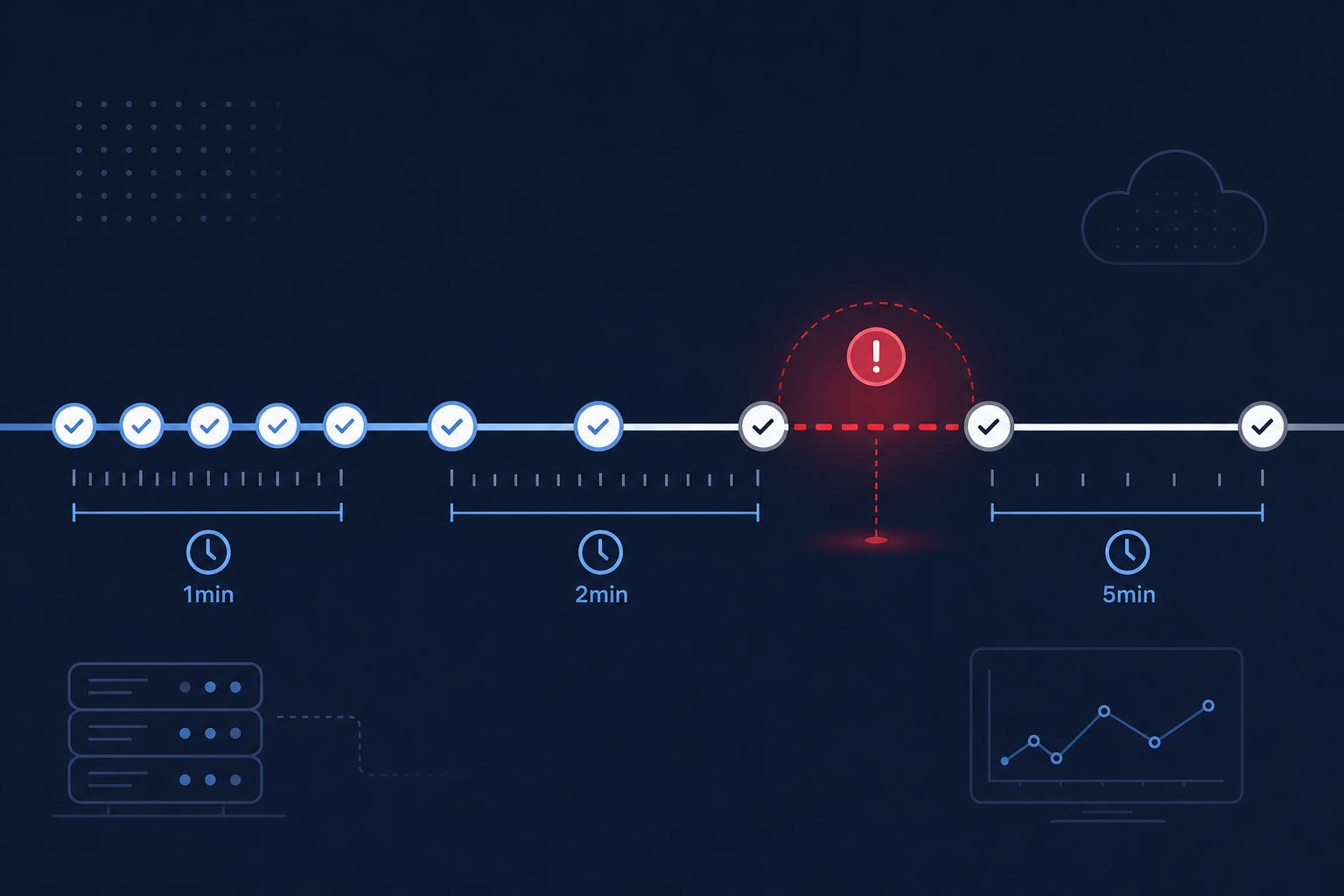
Your monitoring tool checks your site every few minutes. If the site is up, nothing happens. If it's down, you get an alert.
Simple enough. But the gap between checks matters more than most people realize.
A 5-minute interval means that if your site goes down one second after a check, you won't know for almost 5 minutes. A 1-minute interval cuts that blind spot to under 60 seconds. The difference isn't just technical — it's the difference between catching a checkout outage before your first customer notices and finding out 10 minutes later from a support email.
Here's how to choose the right interval for each thing you monitor.
What the Interval Actually Controls
Your check interval determines three things:
- Detection speed: How quickly you find out something is wrong. A 1-minute interval detects downtime in 1–2 minutes. A 5-minute interval takes 5–10 minutes.
- Report accuracy: Your uptime report is only as accurate as your check frequency. Short outages between checks are invisible.
- Alert timing: Faster detection means faster alerts. If your Telegram notifications or webhooks are set up, the interval is the bottleneck between "site goes down" and "you find out."
The tradeoff is straightforward: shorter intervals give you faster detection but cost more (in computing resources, in plan pricing, in data volume).
When 5-Minute Checks Are Enough
Five-minute checks are a good default for most sites. They catch any outage lasting longer than 5 minutes, which covers the majority of real-world downtime — hosting issues, DNS failures, expired certificates, server crashes.
Good fit for:
- Blogs and content sites
- Marketing pages and landing pages
- Internal tools with low traffic
- Portfolio sites
- Documentation sites
- Non-critical APIs with no SLA
What you'll miss: Short blips under 3–4 minutes. If your hosting provider has a 2-minute restart cycle, 5-minute checks might not catch it. Your uptime report will look clean, but your users may have experienced interruptions.
If you're just starting with monitoring and don't know what interval to pick, start here. You can always tighten it later once you see your baseline.
When 2-Minute Checks Make Sense
Two-minute checks hit the sweet spot for production services. Fast enough to catch most incidents before they escalate, frequent enough to give you accurate data, but not so aggressive that you're drowning in check volume.
Good fit for:
- SaaS applications with active users
- Customer-facing APIs
- E-commerce storefronts (browsing pages, product pages)
- Team collaboration tools
- Services with informal uptime expectations from customers
The math: At 2-minute intervals, the worst-case detection time is roughly 2–4 minutes (depending on when in the cycle the outage starts). For most production services, that's fast enough to respond before the majority of users are affected.
When You Need 1-Minute Checks
One-minute checks are for things where every minute of downtime has a measurable cost. If you can calculate how much revenue you lose per minute of outage, and the number isn't trivial, this is your interval.
Good fit for:
- Checkout and payment flows
- High-traffic SaaS dashboards
- APIs with SLA commitments
- AI agent health endpoints
- Authentication services
- Payment gateway integrations
- Anything your customers would notice within 2 minutes
The math: Worst-case detection is under 2 minutes. Combined with instant Telegram or webhook alerts, your team can be investigating within 3 minutes of an outage starting.
Mix Intervals Across Your Monitors
Most people make the mistake of using the same interval for everything. But not all endpoints are equally critical.
A practical setup might look like:
| What you're monitoring | Interval | Why |
|---|---|---|
| Checkout / payment page | 1 min | Revenue-critical, every minute counts |
| Main app dashboard | 2 min | Active users, but less direct revenue impact |
| Marketing site homepage | 5 min | Important, but a 5-minute outage won't lose sales |
| Blog | 5 min | Low urgency, mostly SEO and brand |
| Internal admin panel | 5 min | Only your team uses it |
| Third-party API dependency | 2 min | Affects your service, but you can't fix it — just need to know |
This approach gives you fast detection where it matters and saves your check quota for the monitors that need it.
How Interval Affects Your Uptime Percentage
Your check interval directly shapes what your uptime report tells you.
Consider a site that has three 2-minute outages in a month:
- 1-minute checks: All three outages detected. Uptime shows ~99.99% (6 minutes down out of ~43,200 minutes)
- 5-minute checks: Likely catches one, maybe two. Uptime might show 99.99% or even 100% — the outages fell between checks
- 15-minute checks: Almost certainly misses all three. Your report says 100%, but your users saw three outages
If accurate uptime data matters for your reporting, SLA tracking, or incident post-mortems, your interval needs to be shorter than your typical outage duration.
What About Cost?
Shorter intervals cost more — more checks per day, more data stored, more alerts processed. Most monitoring tools tie pricing to check frequency.
On Monitoristic, intervals are tied to your plan:
- Lite ($5/mo): 5-minute minimum interval, 20 monitors
- Pro ($15/mo): 2-minute minimum interval, 50 monitors
- Business ($30/mo): 1-minute minimum interval, 100 monitors
The right approach is to start with the interval your plan allows, then upgrade only when you have a specific monitor that genuinely needs faster checks. Don't pay for 1-minute checks on a blog.
The Decision Framework
When setting up a new monitor, ask three questions:
- How quickly would I need to know if this goes down? If the answer is "within a couple minutes," you need 1–2 minute checks. If "within 10 minutes is fine," 5-minute checks work.
- What's the cost of a 5-minute blind spot? For a checkout page, 5 undetected minutes could mean dozens of failed transactions. For a blog, 5 minutes of downtime is barely noticeable.
- Do I need accurate incident data? If you're tracking uptime for SLA reporting or post-mortems, shorter intervals give you more reliable data. If you just want to know "is it generally up," longer intervals are fine.
Start Simple, Adjust Later
If you're setting up monitoring for the first time, don't overthink it:
- Set your most critical endpoint (checkout, main app, primary API) to the fastest interval your plan allows
- Set everything else to 5 minutes
- After a week, review your incidents — if you're catching everything that matters, you're good
- If you see outages in your server logs that your monitor missed, tighten the interval on that specific monitor
The check interval isn't a set-it-and-forget-it decision. It's something you refine as you learn how your infrastructure actually behaves.