Uptime SLA Explained: What 99.9% Really Means
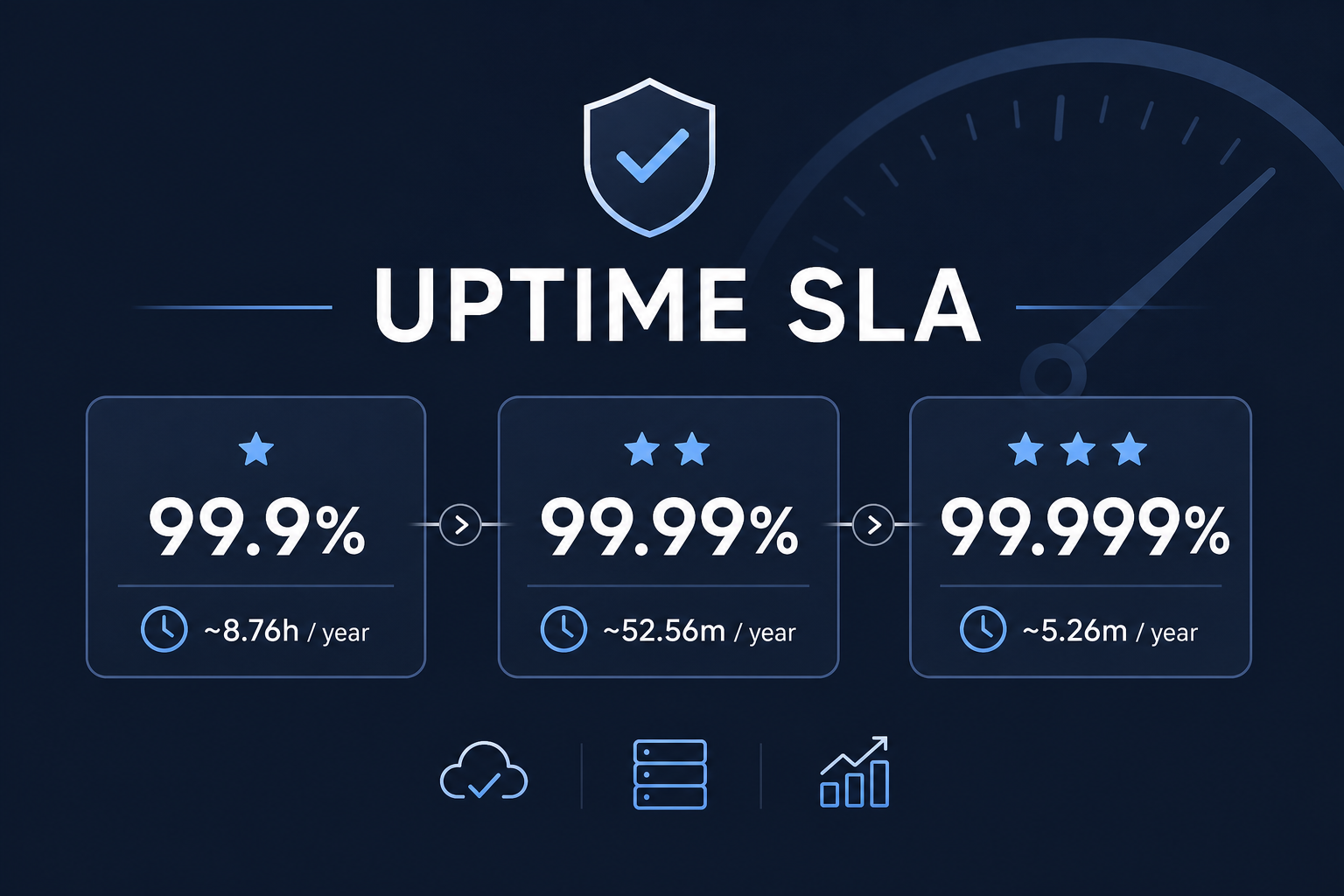
Short answer: 99.9% uptime allows about 44 minutes of downtime a month (8h 46m a year); 99.99% allows about 4 minutes 23 seconds a month (53 minutes a year). The table below covers every common SLA level.
You've seen the numbers everywhere. "99.9% uptime guaranteed." "99.99% SLA." "Five nines of reliability." They sound impressive — so close to perfect that downtime seems like a non-issue.
But these percentages hide something important: even tiny fractions of a percent translate into real, measurable downtime. And depending on when that downtime happens, the difference between 99.9% and 99.99% can mean lost revenue, missed alerts, and frustrated customers.
Let's translate the marketing numbers into plain English.
What an SLA Actually Is
SLA stands for Service Level Agreement — a commitment, usually from a provider to a customer, about how reliable a service will be. The uptime portion of an SLA is expressed as a percentage: the fraction of time the service promises to be available.
An uptime SLA does two things:
- Sets expectations — how much downtime you can reasonably expect
- Defines consequences — often, if the provider misses the SLA, you get service credits or refunds
When you offer a service, your uptime is the promise you're implicitly (or explicitly) making to your users. When you consume a service, the SLA is the promise being made to you.
The Numbers Translated
Here's what each uptime level actually allows, in real time. This is the table worth bookmarking:
| Uptime SLA | Per day | Per week | Per month | Per quarter | Per year |
|---|---|---|---|---|---|
| 99% ("two nines") | 14m 24s | 1h 40m 48s | 7h 18m 18s | 21h 54m 54s | 3d 15h 39m |
| 99.5% | 7m 12s | 50m 24s | 3h 39m 9s | 10h 57m 27s | 1d 19h 49m |
| 99.9% ("three nines") | 1m 26s | 10m 5s | 43m 50s | 2h 11m 29s | 8h 45m 58s |
| 99.95% | 43s | 5m 2s | 21m 55s | 1h 5m 45s | 4h 22m 59s |
| 99.99% ("four nines") | 8.6s | 1m 0s | 4m 23s | 13m 9s | 52m 36s |
| 99.999% ("five nines") | 0.86s | 6s | 26s | 1m 19s | 5m 16s |
Figures use a 365.25-day year and an average month of 30.44 days. To check any other percentage, or work backwards from minutes of downtime, use the uptime calculator.
A few things jump out:
- 99% sounds high but is actually weak. It allows over 7 hours of downtime per month. For anything customer-facing, that's a lot.
- 99.9% is the realistic sweet spot for most small businesses — about 44 minutes of allowed downtime per month.
- Each additional nine is roughly a 10x improvement — and usually a large jump in cost and engineering complexity.
- Five nines (26 seconds/month) is extremely hard and typically reserved for critical infrastructure with significant redundancy investment.
99.9% vs 99.99%: What the Extra Nine Means
The difference looks like a rounding error, but it's a tenfold change in allowed downtime:
- 99.9% gives you about 44 minutes a month. One slow database migration or a bad deploy that takes half an hour to roll back fits inside it.
- 99.99% gives you about 4 minutes a month. A single incident that takes ten minutes to notice and fix breaks the SLA for the whole month.
That's why four nines usually means redundancy (more than one server or region), automated failover, and alerting that reaches someone within a minute or two. It's achievable, but it's an engineering commitment, not a setting.
Combined Uptime: Why Your Stack Is Less Available Than Its Parts
If your service depends on several others, their downtime adds up. Multiply the uptime percentages as decimals:
| Your app depends on | Combined uptime | Possible downtime per month |
|---|---|---|
| Database 99.99% × API 99.95% | 99.94% | about 26 minutes |
| Three services at 99.9% each | 99.70% | about 2h 11m |
So promising your own customers 99.99% on top of providers that only commit to 99.9% doesn't add up. Base your target on the weakest link, or add redundancy where it matters. The uptime calculator can do this multiplication for you.
How SLA Credits Usually Work
When a provider misses its SLA, the usual remedy is a service credit: a percentage of that month's fee, scaled by how far uptime fell short. Three things to know:
- Credits are small next to real losses. A discount on your hosting bill won't cover lost sales.
- You usually have to claim them, often within a set number of days, with evidence.
- The provider's own measurement decides unless you have records of your own. External monitoring gives you that record.
Why the Percentage Doesn't Tell the Whole Story
Here's the catch: uptime percentage treats all downtime equally. But not all downtime is equal.
Consider two services, both at 99.9% uptime for the month (about 44 minutes of downtime):
- Service A had one 43-minute outage at 3 AM on a Sunday. Almost nobody noticed.
- Service B had 43 one-minute outages scattered throughout peak business hours. Hundreds of users hit errors, abandoned carts, and failed requests.
Same SLA. Wildly different real-world impact. This is exactly why an uptime report matters more than a single headline number — when and how downtime happens is often more important than the raw percentage.
SLA vs. Reality: What You Actually Measure
There's an important distinction between the SLA (the promise) and your measured uptime (what actually happened).
Your measured uptime depends heavily on your check interval:
- With 5-minute checks, a 2-minute outage might fall entirely between checks and never be recorded. Your measured uptime looks better than reality.
- With 1-minute checks, you catch far more short outages, so your measured number is more accurate — and often slightly lower.
This means a provider claiming "99.99% uptime" measured with infrequent internal checks may actually deliver less. Your own external monitoring — checking from outside their network — is the only way to know what you actually experience.
How to Choose Your Own Uptime Target
If you're setting an uptime goal for your own service, be realistic:
99.9% (three nines) is the right target for most small teams and SaaS products. It's achievable without massive infrastructure investment, and about 44 minutes of monthly downtime budget gives you room for deploys, occasional incidents, and maintenance.
99.95%-99.99% makes sense if you're revenue-critical — an e-commerce checkout, a payment API, or a SaaS product where minutes of downtime cost real money. Reaching these levels requires redundancy, fast incident response, and tight monitoring.
Don't promise 100%. It's not achievable, and customers know it. A realistic, honestly-stated SLA builds more trust than an impossible promise.
What This Means for Monitoring
Whatever your target, you can't manage what you don't measure. To track uptime against an SLA, you need:
- Consistent monitoring — checks at a regular interval, 24/7
- Accurate incident records — every outage logged with start time, duration, and cause
- A check interval that matches your target — if you're aiming for 99.99% (4 minutes/month), 5-minute checks won't give you accurate enough data
- A way to communicate status — a public status page that shows your real uptime builds trust
The percentage on your dashboard is only as honest as the monitoring behind it. Frequent checks, complete incident history, and transparent reporting turn an SLA from a marketing number into a real, measurable commitment.
The Bottom Line
"99.9% uptime" isn't a near-perfect guarantee — it's a budget of about 44 minutes of downtime per month. Each additional nine cuts that roughly 10x but costs significantly more to achieve. And the percentage alone never tells you what matters most: whether downtime hit at 3 AM on a Sunday or during your busiest hour.
Understand the numbers, set a realistic target, measure honestly, and communicate transparently. That's worth more than any marketing claim of perfect uptime.
To learn how to interpret the data once you're tracking it, read How to Read an Uptime Report.